-
How do I edit my content?
One of the biggest features of the Directory upgrade is the new media system:
- photos up to 5Mb can be uploaded;
- the order of photos can be changed;
- captions can be added to each photo;
All Full Entries can also now add videos and attachments (PDF brochures, for example).
Only Basic Nightsbridge entries may not add videos and attachments since these invariably provide contact details and potential guests may only use the Nightsbridge booking system for these entries – Basic Nightsbridge entries show no contact details and potential guests cannot make enquiries.The most important change from a user's point of view is that photos are no longer managed on your listing admin page - there is a separate media section. If you are logged in on your Directory page, you'll see the following:

 The cog symbol opens options for editing your listing, adding and editing media (photos, videos and attachments).
Edit Listing is where you change business descriptions, location, other info and, if you have a Full Entry, your contact details.
The Edit media option shows all your media (photos, etc) and allows you to delete images, change the order, add captions and select your main image.

The red star means a photo is your main image. The green tick means the image is published (red tick = not published). The pen symbol allows you to edit your media – add a caption. And the waste bin allows you to delete the media item.
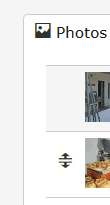
The double arrow appears when your cursor hovers over one of the images. Dragging it up or down changes the order of the media items.
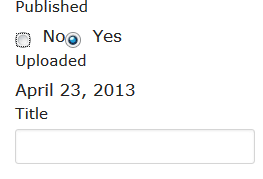
When you click on the pen icon to edit images, a caption can be added in the Title field.
Remember that you can show up to 13 photos. For a neat page, where the image gallery forms a block, please add 4, 7, 10 or 13 photos. You can also add extra photos quickly by clicking on the "Add media" button alongside the cog symbol.